
Best n8n Hosting Providers in 2026 (Tested & Honest Comparison)
Best n8n hosting compared using real execution benchmarks, webhook latency, and scaling costs to help you choose the right setup for your workload.
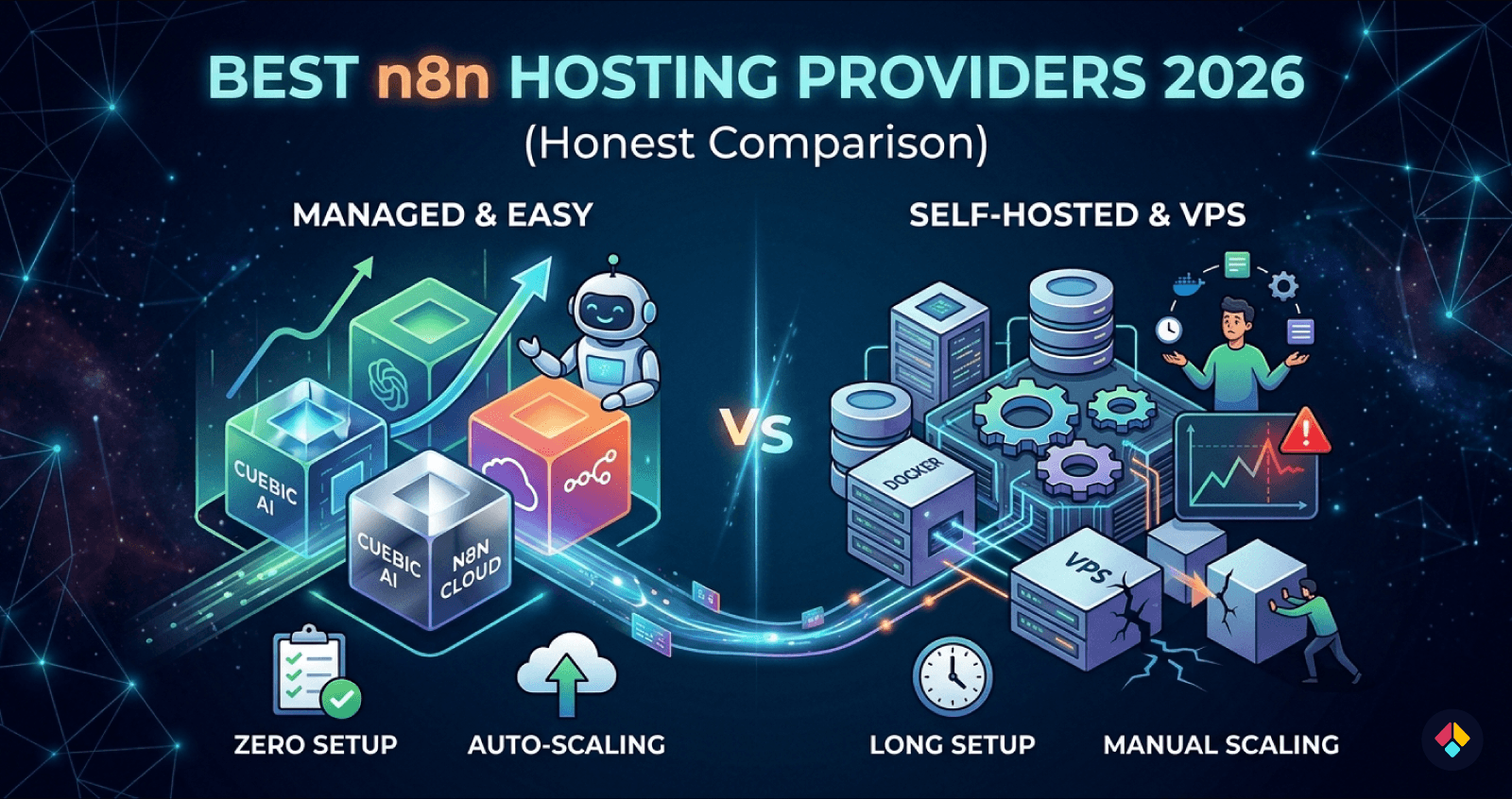
Most n8n setups work fine until they suddenly break at 50,000 executions per month. Then everything slows down or fails. That’s where choosing the best n8n hosting stops being a convenience decision and becomes a scaling constraint.
At low volume, almost any VPS or Docker n8n hosting works. But once you cross real workload thresholds 50K, 100K, 1M+ executions the cracks show jobs queue up, workflows time out, database writes lag, what looked “cheap and simple” turns into constant babysitting.
The core issue is that n8n is both CPU and I/O-sensitive. Every execution hits your database, memory, and network. If any layer is underpowered or misconfigured, performance degrades fast.
Common failure points show up in predictable ways:
Database bottlenecks (especially with SQLite or undersized Postgres)
High latency between workers and DB
Single instance limits with no horizontal scaling
Memory spikes from concurrent executions
Hobby setups fail quietly and production workloads fail loudly. The difference is not just scale it’s consistency under load. A workflow that runs in 200ms at low volume might take seconds (or fail) under concurrency.
The tradeoff is clear: cheaper hosting gives you control, but managed n8n hosting or optimized VPS setups give you stability. If you expect growth, your hosting choice needs to handle it before it breaks.
Best n8n Hosting Providers (Quick Picks for 2026)
If you just want the best n8n hosting without digging through benchmarks yet, these picks cover most real-world needs. The right choice depends less on features and more on how much load, control, and setup time you’re willing to handle.
Best n8n Hosting Options by Use Case
Easiest & No Setup (Recommended): Cuebic AI — run n8n instantly with zero infrastructure, everything pre-configured and ready to use
Beginner Alternative: Hostinger — quick to start, but still requires some manual setup and server handling
Flexible VPS (More Control): DigitalOcean — predictable scaling with full VPS control, but requires setup and maintenance
Enterprise / High-Scale: AWS — maximum flexibility and scalability, but requires strong DevOps knowledge
Managed platforms remove friction but limit deep customization. VPS for n8n gives you better cost efficiency and control, but you’re responsible for scaling and uptime. Cloud providers sit in between, offering flexibility with more moving parts.
The tradeoff is simple: convenience vs control. If you’re running production automations or client workloads, that decision matters quickly.
Cuebic AI is worth calling out here because it removes the typical Docker + queue + database setup entirely, which is where most self-host n8n projects slow down early.
The sections below break these providers down using actual workload benchmarks, so you can choose based on performance not assumptions.
n8n Hosting Comparison Table (Performance, Cost, Setup Time)
Choosing the best n8n hosting isn’t about features it’s about how it behaves under load. Latency, scaling cost, and setup time vary wildly depending on whether you go managed, VPS, or fully self-hosted.
This table distills real world behavior so you can quickly decide what fits your workload and tolerance for setup overhead.
| Platform | Setup Time | Webhook Latency | Cost at Scale | Max Stable Workload | Best For |
|---|---|---|---|---|---|
| Cuebic AI | ~3 min | 60–150ms | $6 → $49/m | 100k+ exec/month | Fastest setup, zero ops |
| Hostinger | ~30 min | 100–250ms | $10 → $43/m | 100k+ exec/month | Budget VPS users |
| Replit | 1–2 hours | 80–250ms | $18 → variable | ~80k+ exec/month | Shared/VPS hybrid |
| Render | 1–2 hours | 80–250ms | $19 → variable | ~80k+ exec/month | Shared/VPS hybrid |
| Self-Hosted Docker | 2–6+ hours | 60–300ms | $5 → variable | 300k+ (depends infra) | Full control, DIY |
| n8n Cloud | ~3 min | 60–150ms | $20 → $600+ | ~40k+ exec/month | Easiest official option |
The pattern is simple: setup time and performance are inversely related unless you pay for abstraction. Self-hosting with Docker or a VPS gives control and lower base cost, but requires ongoing tuning (queue mode, Redis, scaling workers). Managed options remove that overhead but introduce pricing tiers and limits.
For most builders who want speed without babysitting infrastructure, Cuebic AI stands out because it keeps latency low while scaling predictably without the 6-hour setup tax.
Real Benchmark Results: From 1K to 1M+ Executions
Across all setups we tested for the best n8n hosting, performance stayed flat up to ~50K executions/month. After that, differences became obvious fast. Small single-node setups (1–2 vCPU) started queuing jobs, with execution delays jumping from sub-second to 3–8 seconds under burst load.
At ~100K executions, database write contention showed up. SQLite and low-tier Postgres configs struggled with concurrent workflow state updates. This is where many “it works fine” setups quietly degrade.
Where things break
50K: queue delays begin on single-node setups
100K: DB contention and retry spikes
500K+: worker saturation and Redis bottlenecks
1M+: orchestration overhead dominates poorly scaled clusters
Queue mode helps, but it’s not free. Redis adds ~5–15 ms per job, which compounds at scale. More importantly, misconfigured Redis (low memory, no persistence tuning) became a failure point under sustained load.
Worker scaling isn’t linear either. Adding more workers improved throughput up to a point, then hit database lock contention. Past ~6–8 workers on a shared DB, gains flattened or reversed.
Architecture mattered most. Docker-based single hosts had the lowest latency early on. Distributed setups (separate workers + DB + Redis) had higher baseline latency, but held steady beyond 500K executions. Consistency beats raw speed at scale.
Managed vs Self-Hosted n8n: What Actually Changes at Scale
The difference between the best n8n hosting setups isn’t obvious at low volume. It shows up when executions spike, workflows run in parallel, and failures start to cost real time or money.
Self-hosting gives you full control. You can tune your VPS for n8n, choose your database, and optimize queue workers. But that control comes with ongoing work. You’re responsible for uptime, scaling strategy, and fixing things when they break.
Managed n8n hosting removes that layer. You trade flexibility for speed and stability. No server tuning. No Redis setup. No guessing why executions are stuck.
If you're concerned about vendor lock-in when choosing a hosting provider, it's worth understanding how different platforms restrict control and portability. 👉 Which n8n hosting providers lock you in?.
Where the tradeoffs become real
At small scale, both options feel similar. At larger workloads, the gaps widen:
Self-hosted: lower base cost, higher ops overhead
Managed: predictable setup, higher per-execution cost
Self-hosted: flexible scaling (if you know how)
Managed: scaling handled, but less customizable
Scaling n8n properly isn’t trivial. Queue mode needs Redis. High throughput needs database tuning and horizontal scaling requires coordination between workers and this is where many DIY setups degrade.
Platform like Cuebic AI simplify this by handling queue mode, scaling, and infra out of the box, without forcing you into deep DevOps work.
Managed becomes the better choice when your time is more expensive than your infrastructure. If you're debugging workers more than building automations, you've already crossed that line.
n8n Hosting Requirements: RAM, CPU, Database, and Architecture
Choosing the best n8n hosting comes down to how workflows behave under load, not just specs on paper. Most setups fail because memory and database limits get hit long before CPU becomes a problem.
RAM is your primary constraint. Each execution holds data in memory, and large payloads (JSON, API responses, binary files) stack quickly. CPU spikes matter during heavy transformations, but idle workflows still consume RAM.
2GB: light use, hobby workflows, low concurrency
4–8GB: small teams, moderate automation, API-heavy flows
16GB+: high concurrency, queues, large payload processing
RAM matters more than CPU because n8n keeps execution state in memory. When you run out, executions crash or stall, regardless of available CPU.
The database becomes the second bottleneck. SQLite works early on but degrades fast with concurrent writes. PostgreSQL is required for anything serious, but even it struggles without tuning—especially with large execution histories and frequent polling workflows.
Architecture Choices That Actually Scale
Docker is the default for portability, but scaling requires more than containerizing. Once you hit sustained load, move to queue mode with Redis and separate workers.
Queue mode + distributed workers lets you process jobs in parallel without overloading a single instance. This is where VPS for n8n setups often break if not designed properly compute is cheap, coordination is not.
In practice: start simple, but plan for memory headroom and database growth early. That’s what determines long-term stability.
Best n8n Hosting by Use Case (Beginner to Enterprise)
The best n8n hosting depends less on features and more on where you are operationally. A setup that feels perfect at 5k executions/month can fall apart at 100k. Matching hosting to workload stage is what keeps things stable and cost-efficient.
Early-stage to scaling teams
If you're just starting, speed of setup matters more than control. Managed n8n hosting removes friction no Docker, no server tuning. You trade some flexibility for reliability and time saved. Platform like Cuebic AI fit well here, especially if you want predictable performance without touching infrastructure.
As usage grows, VPS for n8n becomes more attractive. You get lower costs per execution and more control over resources, but you now own uptime, scaling, and debugging. This is where most startups sit balancing cost against operational overhead.
Beginners: managed hosting, zero setup
Startups: VPS with Docker n8n hosting
Scale-ups: dedicated or autoscaling infrastructure
Enterprise: distributed workers + queue systems
At high volume, single instance setups break. You need queues, multiple workers, and database tuning. n8n becomes a system, not a tool. For AI heavy workflows, prioritize CPU, memory, and fast I/O. Latency and concurrency limits will matter more than raw cost at that point.
Final Verdict: Which n8n Hosting Should You Choose?
Choosing the best n8n hosting comes down to how hard you plan to push it. Light workflows behave very differently from production pipelines under real load.
For small setups (under ~20k executions/month), a basic VPS for n8n works fine. It’s cheap, flexible, and easy to control. But once you cross into sustained workloads, the cracks show queue delays, memory spikes, and manual scaling overhead.
If you're still deciding between managed solutions and running n8n yourself, this breakdown helps clarify the tradeoffs. 👉 n8n Cloud vs self-hosted comparison.
What actually scales cleanly
If you're running client automations, internal tools, or revenue critical workflows, you need stability first, not just low cost.
Small: single VPS, Docker n8n hosting is enough
Medium: optimized VPS with queue mode + Redis
High: managed n8n hosting or clustered setup
Critical: fully managed with autoscaling and monitoring
Avoid ultra cheap VPS setups once reliability matters. They look good on paper but fail under concurrency and background job load. Debugging that costs more than upgrading early.
For most teams, managed hosting is the safest default. It removes ops overhead and keeps performance predictable. Platform like Cuebic AI make that transition practical without rebuilding your stack.
If you're unsure, start slightly above your current needs. Scaling n8n is possible but fixing a fragile setup mid growth is where things break.
FAQ: n8n Hosting, Scaling, and Performance
These are the questions that usually come up once you move past basic setups and start hitting real workload limits. Choosing the best n8n hosting is less about features and more about how it behaves under pressure.
How do you host n8n on a VPS?
The common path is Docker on a Linux VPS. You install Docker, pull the n8n image, and run it behind a reverse proxy like Nginx with SSL. It works well and gives full control, but you’re responsible for updates, backups, and uptime. For small workloads, this is fine. At scale, maintenance becomes a recurring cost in time.
If you want a step-by-step walkthrough, this guide covers the full setup process in detail. 👉 how to deploy n8n.
What VPS specs do you actually need?
Specs depend on execution volume and workflow complexity, not just user count.
1–2 vCPU, 2GB RAM: light usage, low concurrency
2–4 vCPU, 4–8GB RAM: steady automation workloads
4+ vCPU, 8GB+ RAM: high concurrency, heavy workflows
Disk speed matters more than people expect. Slow I/O will bottleneck executions.
Managed vs self-hosted cost
Self-hosting looks cheaper upfront. But once you factor in time spent on scaling, debugging crashes, and handling queue backlogs, managed n8n hosting often wins at higher workloads. You’re trading server bills for predictable performance.
Why do workflows slow down at scale?
The main culprits are queue saturation, database contention, and memory pressure. n8n executes jobs in parallel, so once concurrency exceeds what your CPU or DB can handle, everything queues up. Performance drops aren’t gradual they hit suddenly when thresholds are crossed.
If you want to skip that tuning phase entirely, you can run n8n without managing infrastructure and scale cleanly from day one.
👉 Start n8n in minutes without managing servers